 CollectorCtrl
System Maintenance, AI & Alert Channels
To ensure optimal performance and operational compliance, the Settings panel provides administration controls for AI engine integrations, human-in-the-loop AI change approval, database maintenance, licensing, and automated alert notification channels.
1. BYO-AI Integration (Global LLM Configuration)
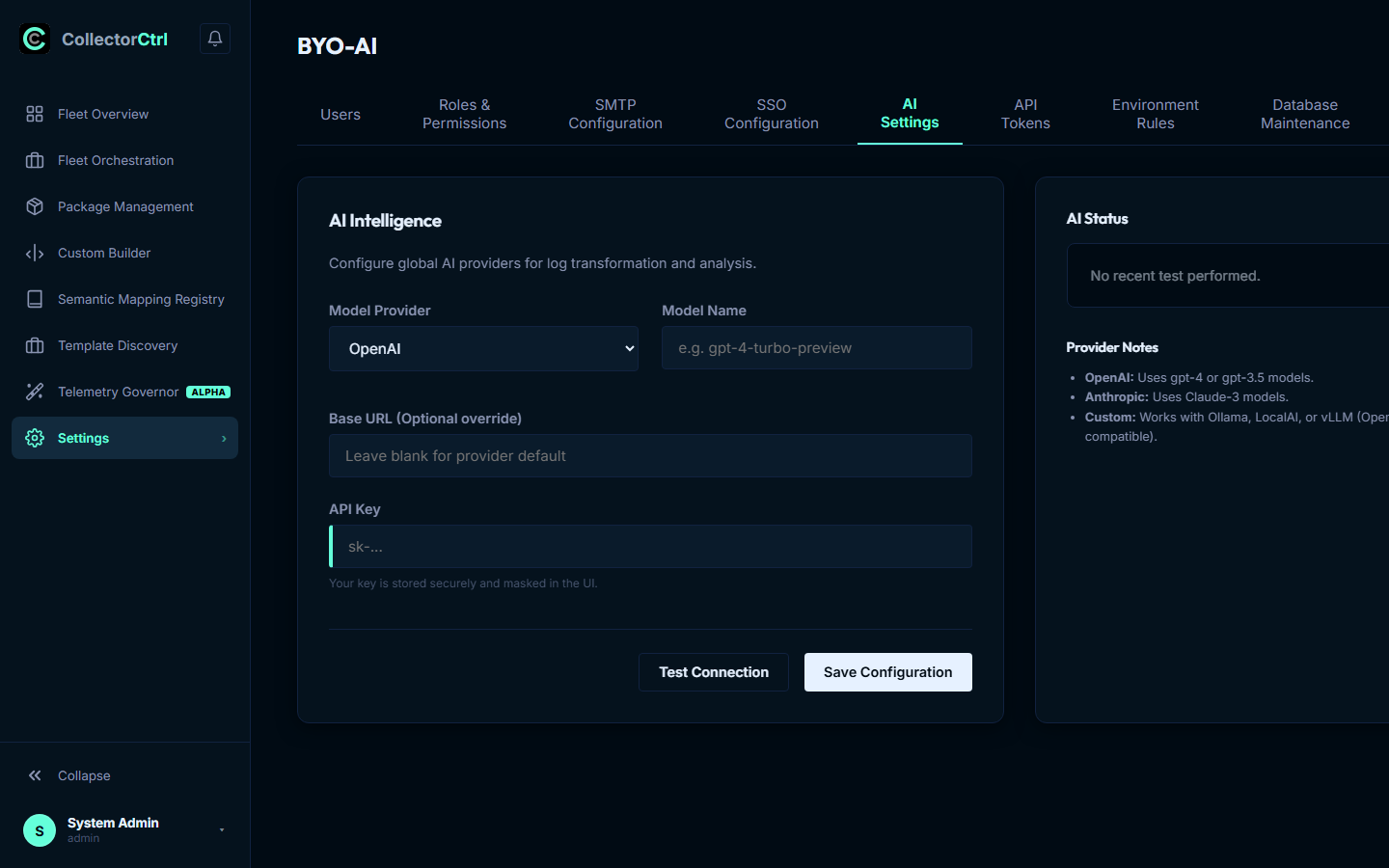
CollectorCtrl features a Bring-Your-Own-AI (BYO-AI) layer that powers automated configuration generation, natural language rule synthesis, and intelligent root-cause diagnosis across your fleet.
 Expand
Supported AI Providers
Configure your preferred LLM provider under Settings → AI Settings:
- OpenAI (SaaS): Provide your API Key and select modern models (e.g.
gpt-4o,gpt-4o-mini). - Anthropic: Connect Claude models (e.g.
claude-3-5-sonnet,claude-3-haiku) for deep YAML configuration analysis. - Google Gemini: Free & high-speed model integration (e.g.
gemini-2.0-flash,gemini-1.5-flash). - Groq Cloud: Ultra-low-latency Llama and Qwen models (
llama-3.3-70b-versatile,qwen/qwen3.6-27b). - Custom / Local In-House (Ollama / vLLM): Link to local, private instances (
http://localhost:11434/v1) to ensure 100% of telemetry data remains inside your corporate network perimeter.
Advanced Model Tuning & Safety Ceilings
- Temperature Control: Adjustable from
0.0to1.0(default:0.1). Lower temperatures enforce strict, deterministic outputs essential for generating valid YAML syntax and OTTL expressions. - Max Output Tokens Ceiling: Capped at
2,048tokens by default to prevent runaway token billing, eliminate connection timeouts, and avoid TPM rate-limit exhaustion.
Pre-Transmission Data Privacy & Redaction
CollectorCtrl includes an active, client-side regex scrubber that intercepts data payloads before transmission to external AI providers. The scrubber automatically strips:
- Bearer tokens, session cookies, and JWT strings
- Plaintext passwords and API keys
- Email addresses and private IP ranges
- Credit card numbers and social security identifiers
2. Pending AI Actions (Human-in-the-Loop Governance)
When AI assistants (such as Claude Desktop or Cursor via the MCP server) propose configuration updates or remediation actions, they are staged in the Pending AI Actions queue (Settings → Pending AI Actions):
[ AI Assistant via MCP ] ──> Proposes fleet_push_config
                                       │
                                       ▼
                     [ Settings → Pending AI Actions ]
                     - Visual YAML side-by-side diff
                     - Target node blast radius (capped <= 10)
                     - 15-minute expiration countdown
                                       │
             ┌─────────────────────────┴─────────────────────────┐
             ▼                                                   ▼
     [ Human Approves ]                                  [ Human Rejects ]
   Requires mcp:approve permission                       Proposal purged
   Enforces Two-Person Security Rule                     Audit trail logged
The human operator approving a pending AI action must have a distinct user identity from the actor that proposed the action. A user or token cannot self-approve their own changes.
3. Database Maintenance & Pruning Operations
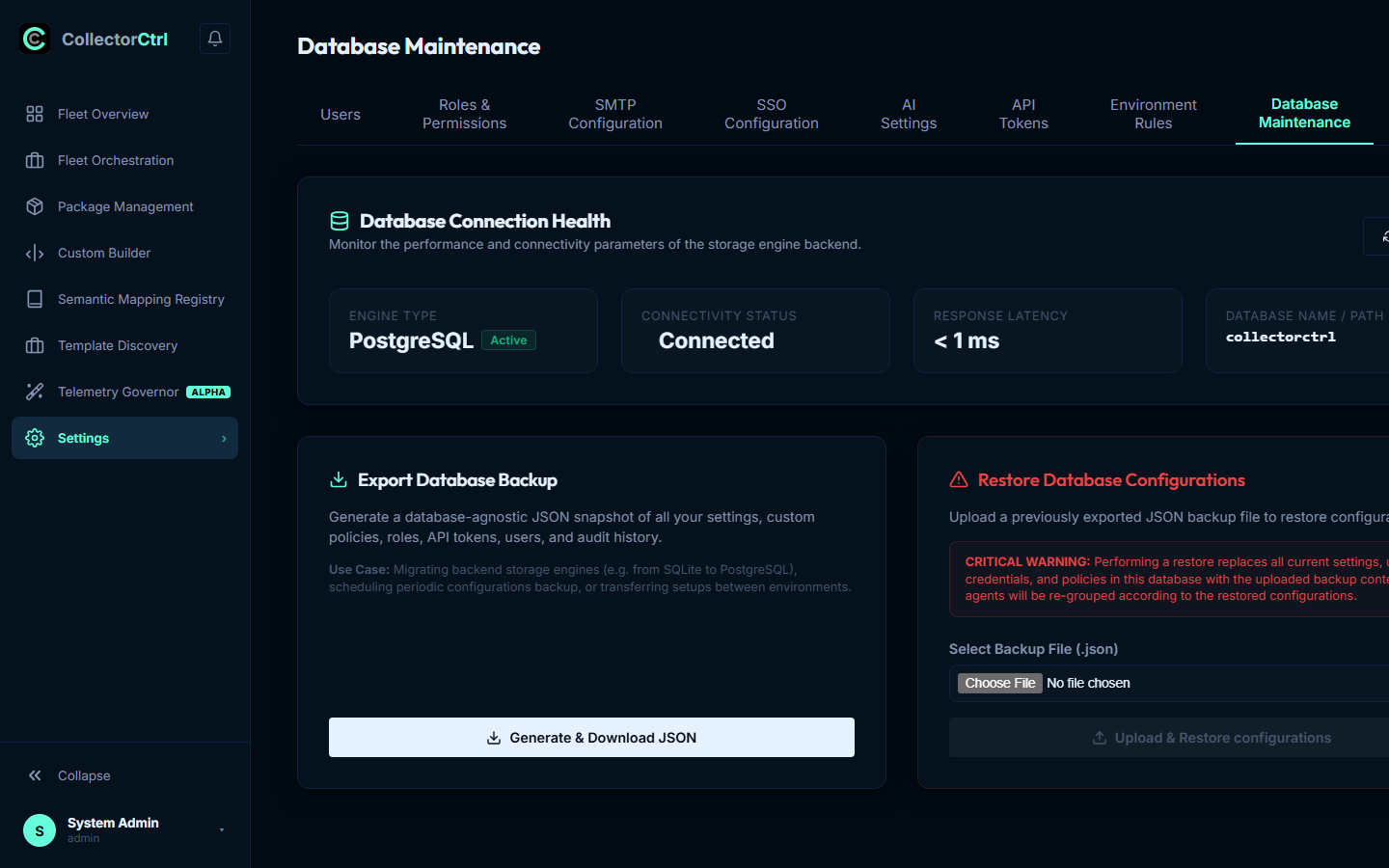
CollectorCtrl utilizes an embedded relational database (SQLite for development and single-node setups, or PostgreSQL for enterprise multi-node clusters) to track agent state, version history, and telemetry samples.
 Expand
Automated Sliding-Window Pruner
The background pruner task (StartSandboxPruner) runs automatically every 5 minutes:
- Purges temporary sandbox telemetry records older than 1 hour.
- Prevents database bloat and disk consumption while preserving active analytics.
PostgreSQL Production Maintenance
For high-scale enterprise installations backed by PostgreSQL, schedule routine maintenance:
- Table Indexing: Ensure B-tree indexes on
agent_id,policy_id, andcreated_atremain optimized. - Automated VACUUM: Run periodic autovacuum tasks on high-turnover tables:
config_histories(historical YAML revisions)policy_snapshots(canary rollout versions)audit_logs(administrative activity logs)
-- Recommended nightly vacuum maintenance via pg_cron
SELECT cron.schedule('0 2 * * *', 'VACUUM ANALYZE config_histories, policy_snapshots;');
Database Backup & Disaster Recovery
- Manual Snapshot: Click Create Backup in the Database Maintenance panel to export an encrypted snapshot archive.
- REST API Export:
curl -H "Authorization: Bearer cct_admin_token" \
  https://collectorctrl.internal:4321/api/database/backup -o collectorctrl-backup.db
4. Alert Channels & Webhook Integrations
The Alert Channels panel (Settings → Alert Channels) routes critical operational notifications to collaboration tools and incident management platforms:
        ┌──────────────────────────────────────────────┐
        │             System Event Trigger             │
        │  (Agent Offline · Drift Event · Rollback)    │
        └──────────────────────┬───────────────────────┘
                               │
                               ▼
        ┌──────────────────────────────────────────────┐
        │             Alert Dispatch Engine            │
        └──────┬───────────────┼───────────────┬───────┘
               │               │               │
               ▼               ▼               ▼
       [ Slack Webhook ] [ Teams Webhook ] [ PagerDuty ]
Supported Notification Targets
- Slack Webhooks: Formatted JSON blocks delivered to dedicated Slack operations channels.
- Microsoft Teams: Adaptive Card payloads posted to Teams channels.
- PagerDuty / Opsgenie: Outbound webhook alerts triggering automated on-call escalations.
- Custom HTTPS Webhooks: Generic HTTP POST webhooks with custom authentication headers for internal notification brokers.
5. Licensing & Fleet Quotas
Under Settings → License Management, administrators can inspect license status, active agent count, and system entitlements:
- Community Edition (Default): Unrestricted, open deployment allowing connection of unlimited collector nodes, full policy orchestration, and all core features without artificial limits.
- Enterprise License: Provides enterprise SLA guarantees, custom cryptographic signing keys for binary distribution, and dedicated priority support. Paste your enterprise license key string into the field and click Apply License.